
Vaultless
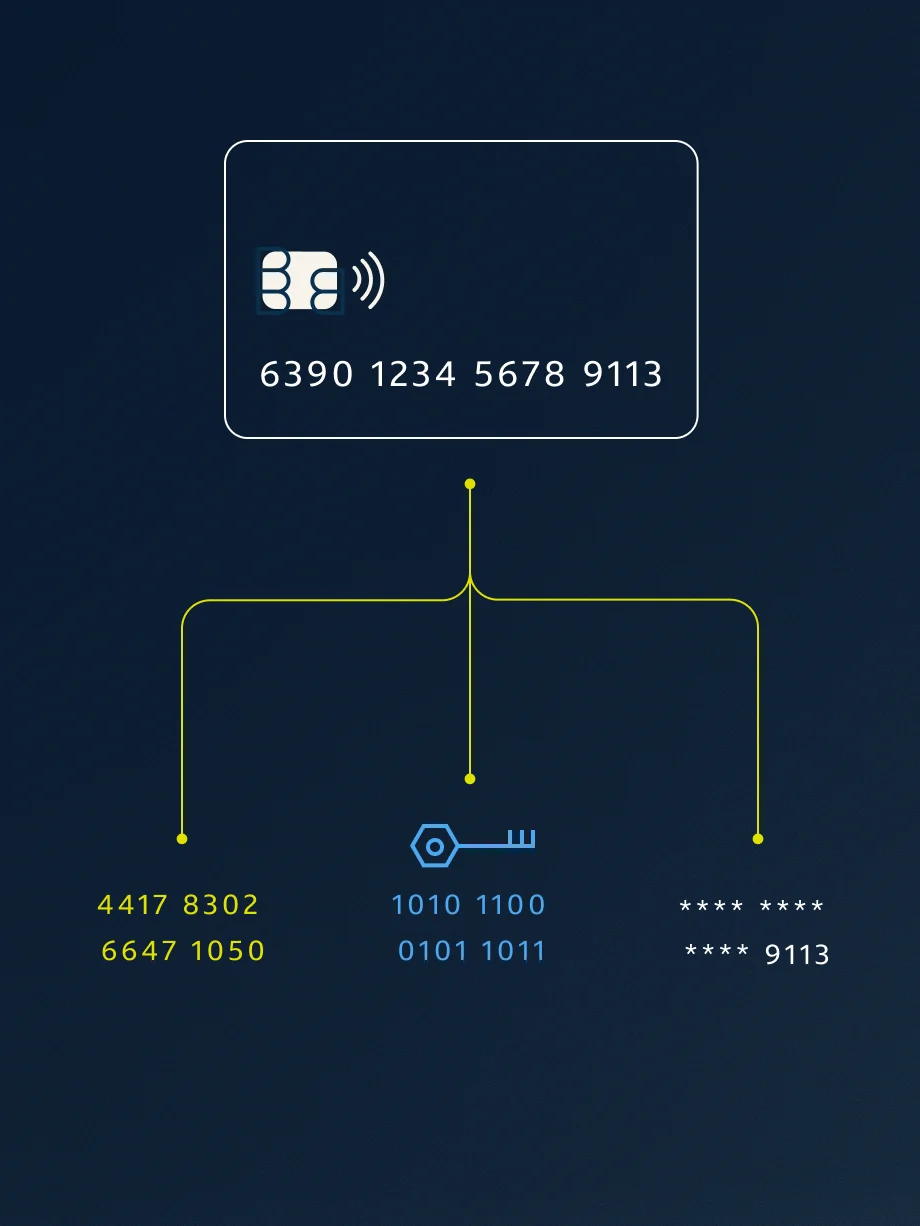
Algorithmically-generated tokens replace original values so there's no central vault, removing a high-value target without sacrificing performance.
Solution brief
Support your security and compliance requirements by protecting sensitive records at rest across Snowflake with minimal disruption to the people and systems that use them.
Years of customer, account, member and transaction data sit in Snowflake with names, SSNs, account and card numbers and PHI in cleartext across dozens of schemas. In healthcare, that puts the data warehouse in HIPAA scope. In financial services, the same data falls under GLBA, PCI-DSS and a thicket of state privacy laws. Either way, the result is heavy, table-by-table access governance.
Teams usually weigh two paths. Re-ingesting 100M+ records through an upstream protection step can leave the data well protected. The cost is exporting and reloading every table, plus rebuilding every pipeline that writes to them. Dynamic masking is quick to apply, but it only hides values at read. The cleartext stays in storage and in Time Travel, where any role a policy misses, or any role that can change it, sees real values.
Masking also gets harder the more the data is used. Fixed masks break joins, and Snowflake advises against hash masks for joins (opens in new tab), which leaves analysts unable to link records. A rebuild can avoid that, but it takes significant pipeline work before anything is protected. Each path asks teams to give up either protection or progress, so the cleartext often stays where it is.
Databolt is a high-performance data security solution that uses vaultless, field-level tokenization to secure sensitive data natively within Snowflake so teams can deliver business-ready intelligence and trusted AI at enterprise scale. It replaces sensitive values such as PII and PHI with non-sensitive values, so your teams keep working with the data while the raw values stay protected. Databolt holds SOC 2 Type II and ISO 27001.
The Databolt data plane runs in Snowpark Container Services (SPCS), inside your account and next to your data. A Snowflake Native App handles the installation. Your data stays in Snowflake throughout. A Snowflake query builds a tokenized copy of each table, calling Databolt's TOKENIZE function via User-Defined Functions (UDF) on each sensitive column as it's executed. The copy then swaps into place. From then on, Snowflake's native policies pass records to the data plane: on write, Databolt tokenizes new sensitive values as they land; on read, it checks the querying role and returns real values only to the roles you authorize, at the granularity you configure. Most of the queries, views and dashboards you already run keep working as written.
Databolt's control plane supplies configuration and policy. It only receives usage telemetry, never your sensitive data, because tokenization and detokenization both run inside your account. The cryptographic material used to generate tokens can be managed by Capital One Software or by your own organization, whichever your security policy requires.
This brief walks through the in-place pattern. Databolt can also tokenize upstream, in the pipelines that load Snowflake and the Capital One Software team can help you choose the right mix.
Keeping sensitive data out of downstream environments reduces audit complexity and helps ensure your compliance boundaries remain straightforward and predictable.
Algorithmically-generated tokens replace original values so there's no central vault, removing a high-value target without sacrificing performance.
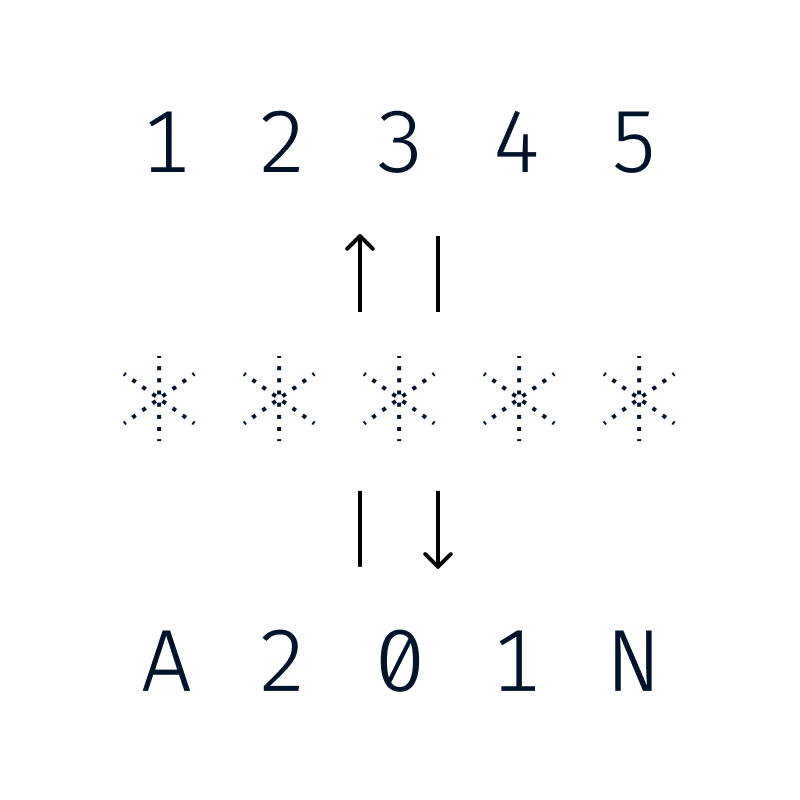
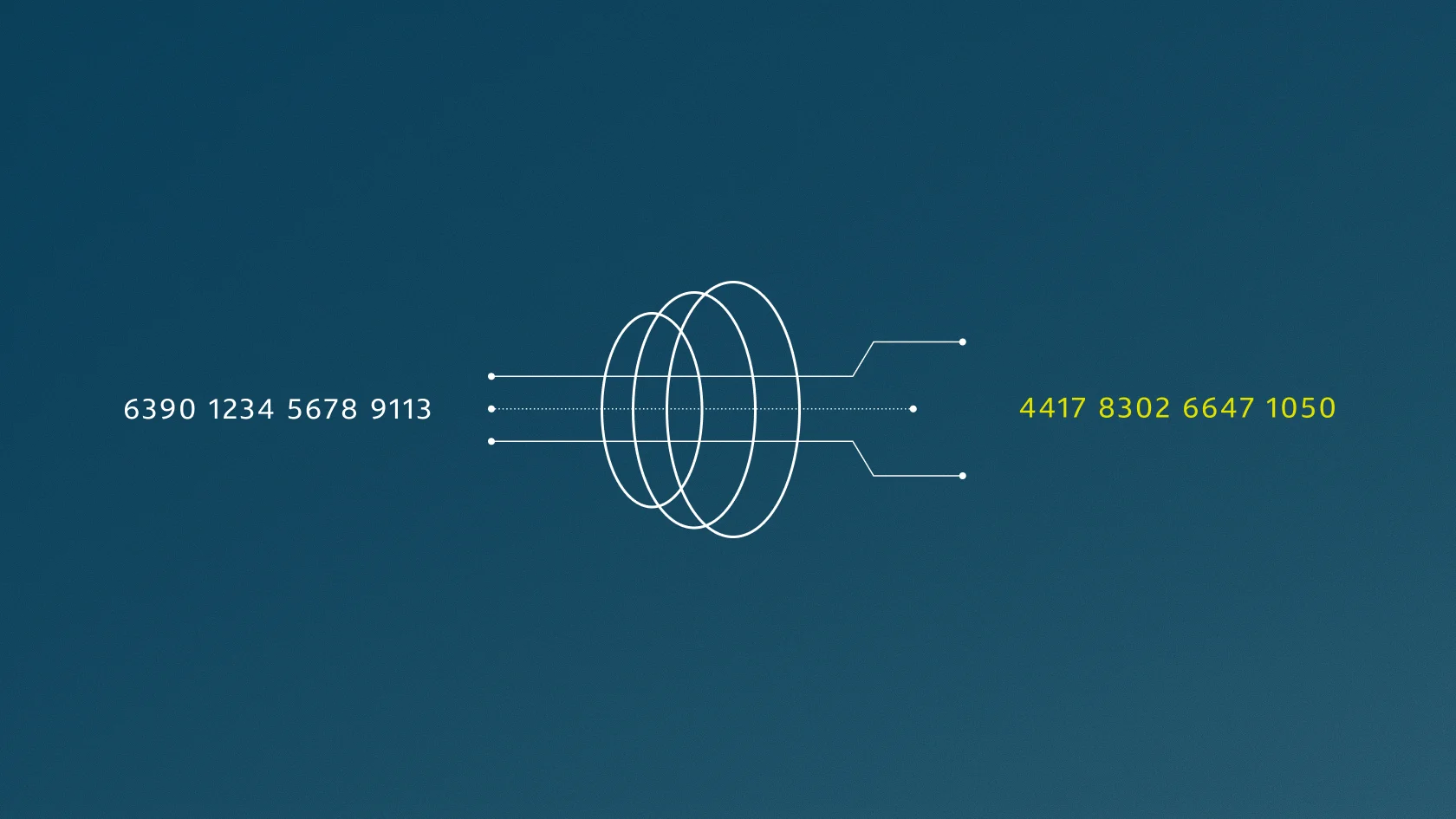
The same input, under the same configuration, consistently yields the same token, preserving referential integrity across joins and foreign keys.
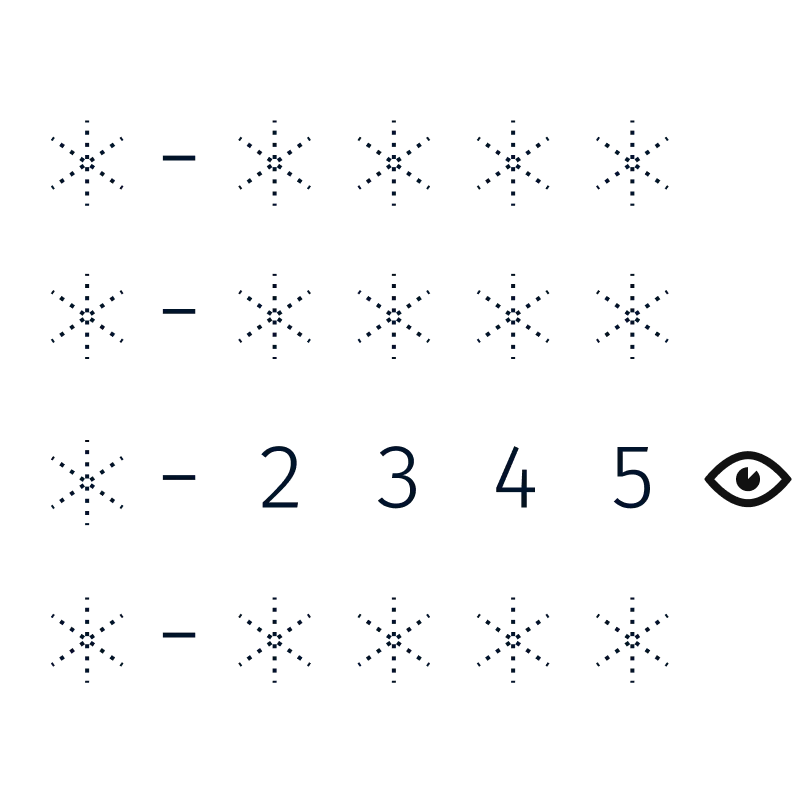
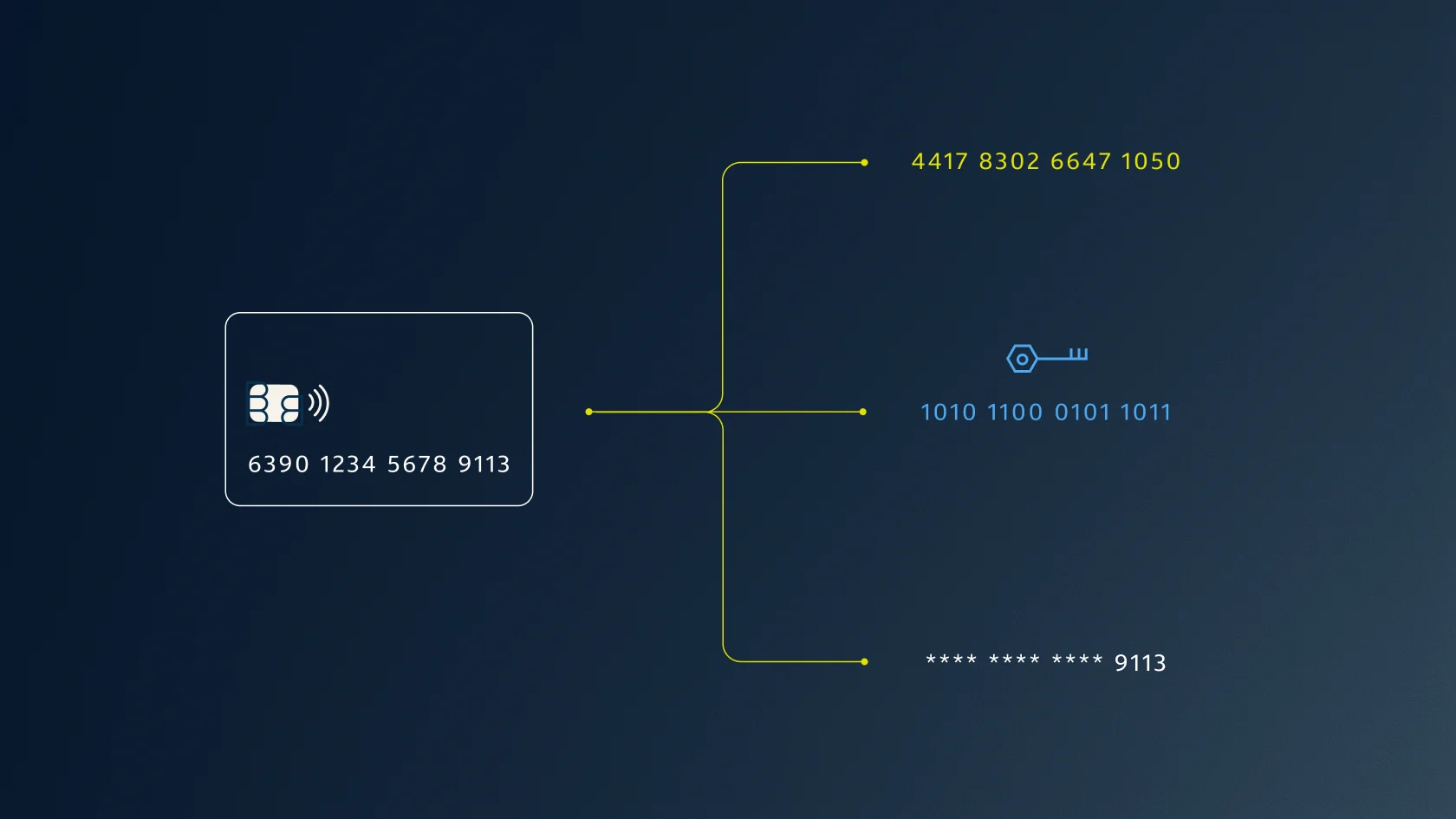
Preserve the original length and structure with the option to keep certain values, like a card's last 4 digits, visible to teams and systems that need them.

Tokenization happens inside your own data ecosystem, so sensitive values don't have to leave it.
Databolt replaces sensitive values with deterministic, format-preserving tokens. Each token can keep the shape of the original, and identical inputs under the same configuration consistently produce the same token. The joins, views and dashboards on your tables keep working while the cleartext leaves the tables and their Time Travel history. Any role that can read a table but isn't authorized to detokenize sees tokens.
Datasets that used to sit behind long access approval cycles can go to data science, analytics, fraud and risk teams that have been asking for them. Approval narrows to the few roles that need to see real values.
| Empty Cell | Re-ingest through an upstream protection step | Dynamic masking | Databolt (tokenize in place) |
|---|---|---|---|
Protecting data already in place | Export, protect and reload each table; rebuild the pipelines | Attach policies to columns or tags; data stays in cleartext | Build a tokenized copy, verify it, swap it in |
What storage and Time Travel hold | Protected values, once the originals are purged | Cleartext, masked at query time | Tokens, once the originals are purged |
If a policy is dropped or misapplied | Depends on the protection method used | Cleartext, for any role with table access | Only tokens, for any role with table access |
New records after cutover | Protected if every write path uses the new pipeline | Stored in cleartext, masked on read | Tokenized on write by a tokenization policy (private preview) |
Joins and counts for roles without access | Work if the protection method is deterministic | Fixed masks break joins; Snowflake advises against hash masks for joins | Work on deterministic tokens, one token per value |
Once the tables are protected, every write to a sensitive column passes through a tokenization policy. Every read of a tagged column passes through a masking policy. Both call the same Databolt data plane in SPCS.
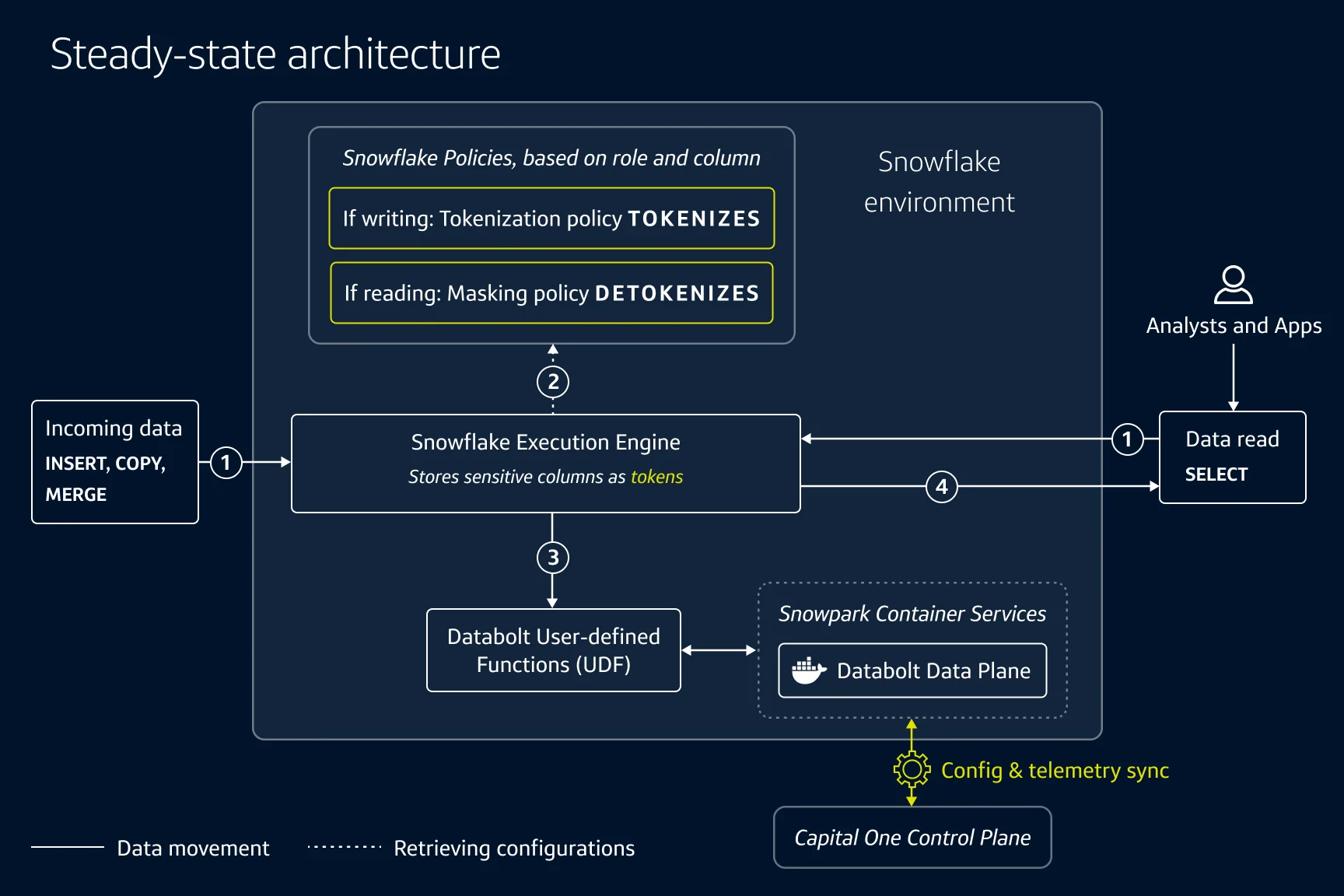
Writes pass through a tokenization policy and reads through a masking policy, and both are handled by the Databolt data plane inside your Snowflake account.
Before, any role with table access sees real values. After, only the roles you authorize do.
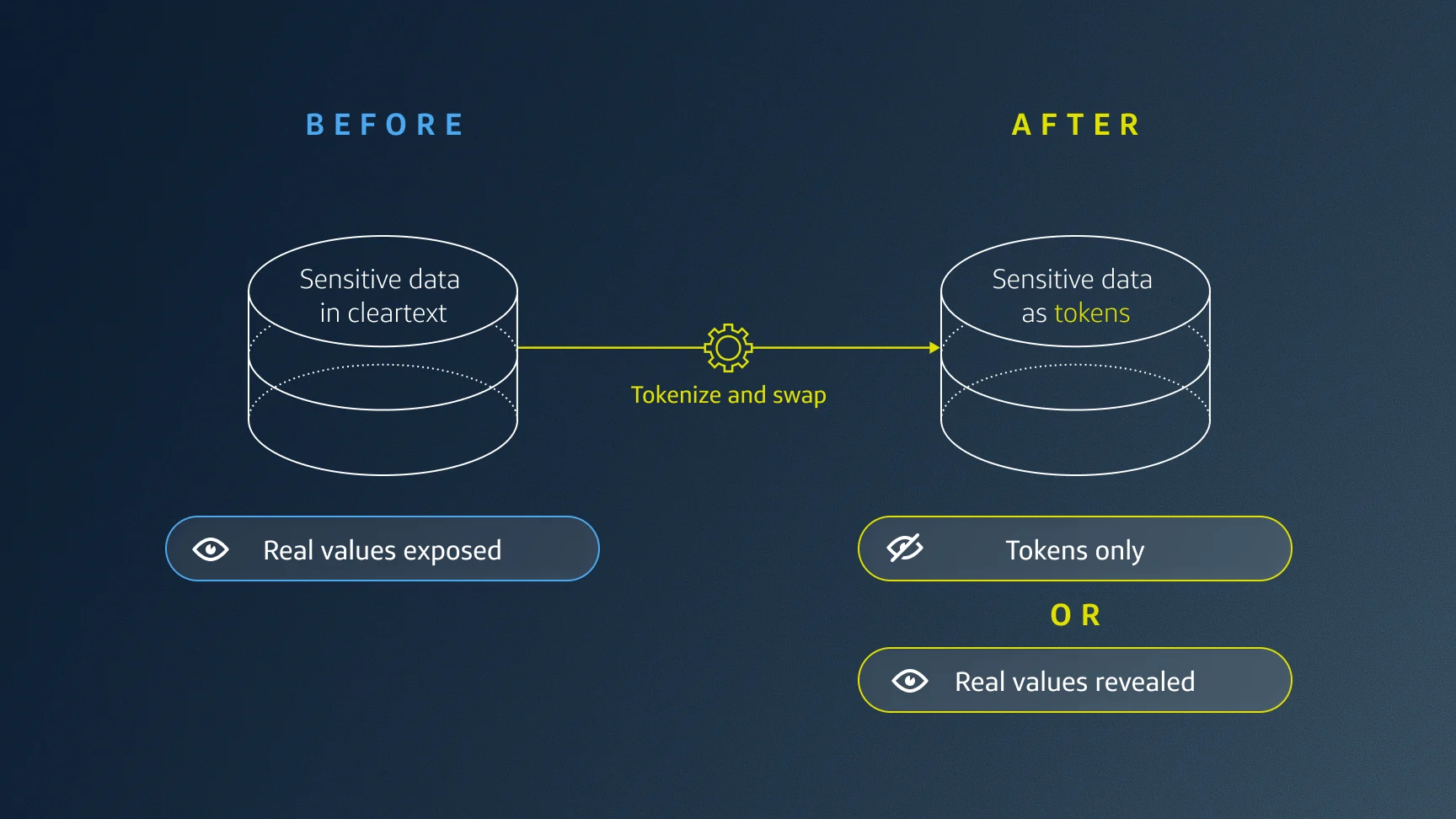
Make a protected copy. A Snowflake query builds a copy of the table with the sensitive fields replaced by Databolt tokens. The original keeps serving reads and writes throughout.
Check it. Confirm the copy reconciles with the original row for row, and that sampled tokens detokenize to the right values. Confirm that the upstream pipelines writing to this table are ready for the protected columns.
Swap it into place. Pause writes, merge any that arrived since step 1, then swap. The protected copy takes the original's name, so the views, dashboards, pipelines and apps that point at the table pick it up without changes.
Protect new writes, then resume. Attach the tokenization policy and the DATABOLT_PROTECTION tag to the table's sensitive columns, then let writes resume.
Purge the original. The swapped-out table still holds cleartext. Set its Time Travel retention to zero and drop it.
Detokenize by role. From then on, the masking policy returns real values to authorized roles and tokens to every other role.
What changes for your users. Roles that aren't authorized to see raw values now see format-preserving tokens. Because the tokens are deterministic, joins and groupings across tables work as before. Filters on specific values change: WHERE ssn = '123-45-6789' becomes WHERE ssn = DATABOLT.FUNCTIONS.TOKENIZE('ssn', '123-45-6789'). Range comparisons, sorting and pattern matches like LIKE work only for roles that can detokenize. An SSN like 123-45-6789 becomes something like Ck2-Pz-CM0z, with the same shape in the same column.
-- 1. Start recording changes, then build a tokenized copy.
-- `customers` keeps serving reads and writes.
CREATE STREAM customers_changes ON TABLE customers;
CREATE OR REPLACE TABLE customers_tokenized AS
SELECT
-- Non-identifying join key and year-only date, left in cleartext
customer_sk, signup_year,
-- TOKENIZE takes the field name first, then the value
DATABOLT.FUNCTIONS.TOKENIZE('name', name) AS name,
DATABOLT.FUNCTIONS.TOKENIZE('ssn', ssn) AS ssn,
DATABOLT.FUNCTIONS.TOKENIZE('phone', phone) AS phone,
DATABOLT.FUNCTIONS.TOKENIZE('card_number', card_number) AS card_number
FROM customers;
-- 2. Pause writes. MERGE the rows in customers_changes into the copy,
-- applying the same TOKENIZE calls as step 1, then swap.
-- `customers` keeps its name and now holds tokens.
ALTER TABLE customers SWAP WITH customers_tokenized;
-- 3. Before resuming writes, attach the tokenization policy so rows
-- written after the swap get the same deterministic tokens as step 1
-- and join to the rows already protected. Tag the same columns with
-- DATABOLT_PROTECTION so authorized reads detokenize.
ALTER TABLE customers MODIFY COLUMN name
SET TOKENIZATION POLICY databolt_tokenize;
ALTER TABLE customers MODIFY COLUMN ssn
SET TOKENIZATION POLICY databolt_tokenize;
ALTER TABLE customers MODIFY COLUMN phone
SET TOKENIZATION POLICY databolt_tokenize;
ALTER TABLE customers MODIFY COLUMN card_number
SET TOKENIZATION POLICY databolt_tokenize;
-- 4. Purge the cleartext original, which now sits under
-- `customers_tokenized`.
ALTER TABLE customers_tokenized SET DATA_RETENTION_TIME_IN_DAYS = 0;
DROP TABLE customers_tokenized;Capture in-flight writes. The copy is a point-in-time snapshot, so writes that land after step 1 must reach the copy before the swap; otherwise, they're lost when the original is purged. Create a Snowflake Stream on the original before you build the copy. The Stream records every write from that point on. Each MERGE that consumes the Stream moves its marker forward, so you can run catch-up merges while writes continue and keep the final pause short. Snowflake can't wrap a merge and a SWAP in one transaction, so pause writes from the final merge until the tokenization policy is attached. This typically takes a matter of seconds. Reads continue throughout. For those few seconds, even authorized roles see tokens instead of real values, so nothing is exposed.
Sequence multi-table swaps. DDL auto-commits in Snowflake, so each SWAP is atomic on its own, and protecting many tables is a sequence of swaps. Where related tables join on non-identifying surrogate keys left in cleartext, each table can swap on its own schedule without breaking joins. Where existing queries join on a sensitive column such as SSN, tokenize every table that shares that column before treating the system as back to normal. Until then, joins between a tokenized table and an untokenized one won't match.
Account for cleartext copies inside Snowflake. Dropping a table doesn't erase it. Set Time Travel retention to zero first, and disclose Snowflake's non-configurable 7-day Fail-safe window to compliance. Then inventory the copies made before the swap, such as zero-copy clones in dev and test or replicated databases in other accounts. Each needs the same purge.
Confirm policy behavior before rollout. Tokenization policies are in private preview and require Enterprise Edition. Each tokenization policy is defined for one data type and can only be attached to columns of that type. If a field's tokens include letters, plan for text columns wherever sensitive values are stored as numbers. Verify that the policy and DATABOLT.FUNCTIONS.TOKENIZE emit identical tokens for the same input. If your account isn't in the preview, call TOKENIZE in the load step that moves data out of staging, and treat the staging table as a residual.

Every Snowflake environment has its own write paths, schemas and compliance obligations. Whether you're starting with a single use case or planning adoption across your account, our team can help you work out the right approach.
Blog
September 14, 2026
13 min read
Blog
August 25, 2026
15 min read

Blog
May 26, 2026
6 min read

Blog
April 13, 2026
5 min read
Blog
May 20, 2025
5 min read
Blog
October 28, 2025
7 min read
Webinar
October 10, 2025

White paper
September 24, 2025

White Paper
December 3, 2025